The Best AI Tool for Beginners Is Not What You Think
People ask me all the time: what’s the best AI tool for beginners? My answer always surprises them.
There isn’t one.
There is no single best AI tool. There’s just the right tool for the right job. And once you understand which one does what, everything changes.
Think about your kitchen for a second. You’ve got a blender, a knife, an oven, a slow cooker. Is any one of them the best kitchen tool? No. They’re each the best at a different thing. You wouldn’t make a smoothie with a knife. You wouldn’t chop onions with a blender.
AI tools are exactly the same.
So let’s go through the four big ones. For each one I’ll tell you what it’s best at, what it’s not great at, and who it’s really for.
ChatGPT – The Swiss Army Knife
ChatGPT is the one most people have heard of. It’s the one that started the whole conversation.
If the best AI tool for beginners has a “most versatile” award, ChatGPT wins it. It writes, it brainstorms, it creates images, it can browse the internet, and you can build custom versions of it (called GPTs) that do specific things for you.
Best for: Someone who wants one tool that handles a lot of different tasks. If you like variety and don’t want to switch between apps, start here.
Not great at: Deep, nuanced writing. It’s wide but not always deep. It can also be a little too eager to please — it’ll give you an answer even when it probably should say “I’m not sure.”
Cost: Free to start. ChatGPT Plus is $20/month for better models and more features. The free version is genuinely useful.
Claude – The Thoughtful Advisor
I’ll be upfront: this is my personal favorite. This is the one I use most.
If ChatGPT is a Swiss Army knife, Claude is the really sharp chef’s knife. It does fewer things, but what it does, it does with real depth and quality. The writing is beautiful. Genuinely beautiful. It thinks carefully, gives nuanced answers instead of generic ones, and treats your questions with real care.
When I need to write something important, think through a complex decision, or build something that requires precision, I go to Claude every time.
Best for: If you value depth over breadth. If you want something that feels more like a thoughtful mentor than a quick assistant. If the quality of thinking matters more to you than doing a lot of things at once.
Not great at: Creating images, browsing the internet in real time. It’s more focused than ChatGPT, which means it does less. But what it does is exceptional.
Cost: Free to start. Claude Pro is $20/month.
Perplexity – The Research Assistant
This one is different from the other three, and I want to make sure you understand why.
Perplexity is an AI-powered search engine that gives you answers with sources. Every response includes clickable links so you can see exactly where the information came from.
If you ask Perplexity about Medicare Part B changes for next year, it doesn’t just tell you. It shows you which government websites, news articles, or official sources it pulled from. You can verify everything.
Best for: If you’ve ever Googled something and thought “but how do I know this is true?” Perplexity is your answer. It shows its receipts. Great for health questions, news, anything where accuracy matters above everything else.
Not great at: Writing and creating. Perplexity is a researcher, not a creator. If you need to write something, build something, or brainstorm ideas, this isn’t the right tool. It finds information — it doesn’t generate content.
Cost: Free, and the free version is excellent. Perplexity Pro is $20/month for deeper research features.
Gemini – The Everyday Helper
Gemini by Google is the tool that meets you where you already are.
If you already use Gmail, Google Docs, Google Calendar, or Google Photos, Gemini fits right into your existing workflow. You don’t have to learn a new platform. You don’t have to go to a new website. It works inside the Google tools you already know.
Best for: The lowest-friction entry point into AI. If you want to add AI to your life without changing anything else, start here.
Not great at: Deep thinking. It’s not as powerful as ChatGPT or as nuanced as Claude. It’s more of a helpful everyday assistant than a deep thinker. But for quick writing help and integrating AI into your Google life, it’s very convenient.
Cost: Free with your Google account.
The Simple Version – Which One Is Right for You?
Let me make this as clear as possible.
If you want one tool that does a lot of things: ChatGPT.
If you want deep, thoughtful, quality work: Claude.
If you want researched answers with sources: Perplexity.
If you want easy and integrated with Google: Gemini.
And here’s the secret: you don’t have to choose just one.
I use three of these regularly. ChatGPT for brainstorming and ideas. Claude for writing and building. Perplexity for research. Different tools for different jobs, just like your kitchen.
But if you’re just starting out, start with one. Get comfortable. Build some confidence. Then expand when you’re ready.
Not Sure Which One to Start With?
I built a free quiz for exactly this. The AI Tool Navigator matches you to the right tool based on how you think and what you actually need. It takes two minutes.
→ Take the quiz
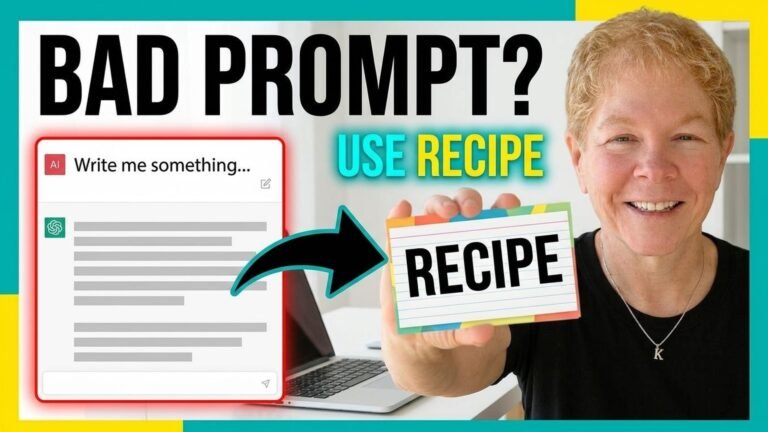
And in the next video, I’m going to teach you my RECIPE Framework for writing great prompts. Because the tool is only half of it. The other half is knowing how to talk to it. And once you learn this framework, your results are going to get so, so, so much better.
→ Watch it here
Alright, my friends. Take care. Bye bye.
About Kris Voelker: Kris is the founder of Second Act with AI and the creator of the RECIPE Framework for AI prompt writing. She teaches AI tools and digital literacy to people over 60 at secondactwithai.com.